
Understanding HDMI Cables and Ports: A Complete Guide
Confused by HDMI versions, cable types, and port labels? Learn everything you need to know about HDMI connections for TVs, gaming, and home theater.
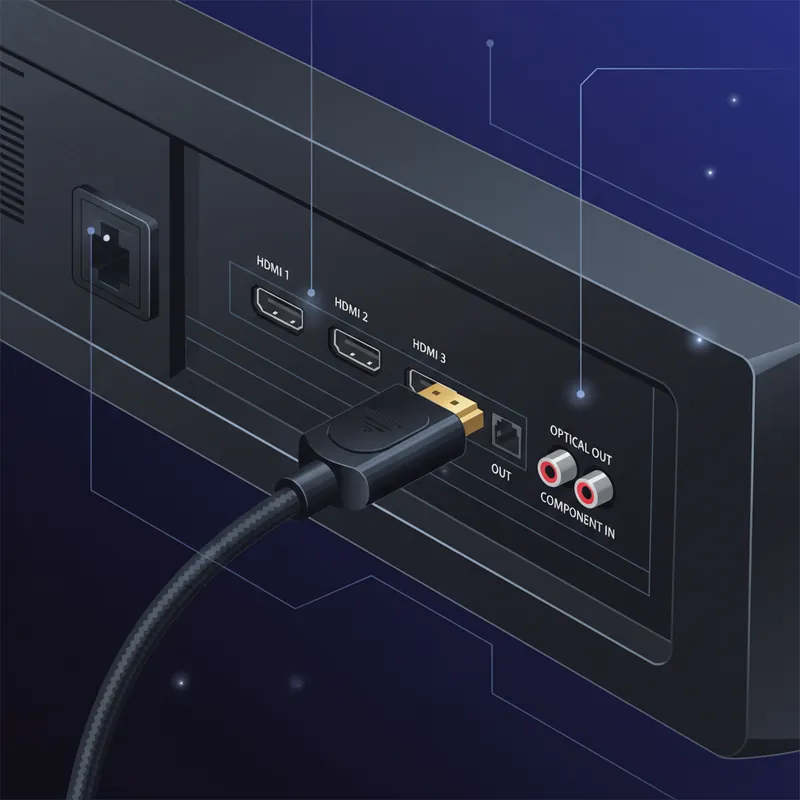
HDMI has become the universal standard for connecting TVs, gaming consoles, streaming devices, and computers. But with different versions, cable types, and port labels, it can be confusing. Here’s what you need to know.
HDMI Versions Explained
HDMI 1.4
Released in 2009:
- Supports 4K at 30Hz
- 3D support
- Audio Return Channel (ARC)
- Still common on older devices
- Adequate for most 1080p content
HDMI 2.0
Released in 2013:
- 4K at 60Hz
- HDR support
- Increased bandwidth (18Gbps)
- Current mainstream standard
- Works well for most 4K content
HDMI 2.1
Released in 2017, widespread since 2020:
- 4K at 120Hz
- 8K at 60Hz
- 48Gbps bandwidth
- eARC (enhanced Audio Return Channel)
- Variable Refresh Rate (VRR)
- Auto Low Latency Mode (ALLM)
- Important for PS5/Xbox Series X gaming
HDMI Cable Types
Standard Speed
- Supports up to 1080i
- 4.95Gbps bandwidth
- Fine for older equipment
- Not recommended for 4K
High Speed
- Supports 4K at 30Hz
- 10.2Gbps bandwidth
- Works with HDMI 1.4 spec
- Most common cables sold
Premium High Speed
- Supports 4K at 60Hz with HDR
- 18Gbps bandwidth
- HDMI 2.0 certified
- Good for most 4K setups
Ultra High Speed
- Supports 8K and 4K at 120Hz
- 48Gbps bandwidth
- Required for HDMI 2.1 features
- Necessary for PS5/Xbox at 4K/120
Do Expensive Cables Matter?
The honest answer:
For digital signals:
- Either works or doesn’t
- No quality gradient
- Cheap cables often fine
- Brand doesn’t determine quality
What does matter:
- Correct speed rating for your needs
- Build quality for durability
- Proper length for your setup
- Quality connectors
Don’t waste money on:
- “Gold-plated” premium claims
- “Oxygen-free” cable marketing
- Cables costing more than $20-30 for typical lengths
HDMI Port Labels
ARC (Audio Return Channel)
- Sends TV audio to soundbar/receiver
- Eliminates separate audio cable
- Found on one port (usually labeled)
- Requires CEC enabled
- Standard ARC limited to compressed audio
eARC (Enhanced ARC)
- Full-quality uncompressed audio
- Dolby Atmos and DTS:X support
- Requires HDMI 2.1
- Requires compatible soundbar/receiver
- Significant upgrade over standard ARC
CEC (Consumer Electronics Control)
- Allows devices to control each other
- Turn on TV, soundbar turns on
- Single remote operation
- Brand names: Anynet+ (Samsung), Bravia Sync (Sony), etc.
Common HDMI Problems
No Picture
Check:
- Cable is fully inserted
- Correct input selected
- Both devices powered on
- Try different HDMI port
- Try different cable
Picture Cuts Out
Possible causes:
- Loose connection
- Failing cable
- Source device issues
- Handshake problems
Solutions:
- Reseat connections
- Try shorter cable
- Power cycle devices
- Update firmware
No Sound Through ARC
Check:
- CEC enabled on both devices
- Correct audio output settings
- Correct HDMI port (labeled ARC)
- Try power cycling both devices
4K/HDR Not Working
Verify:
- All devices support 4K/HDR
- HDMI port supports 4K (not all ports equal)
- Cable rated for 4K
- Enhanced HDMI mode enabled (some TVs)
Cable Length Considerations
Short Runs (Under 6 feet)
- Almost any cable works
- No signal degradation
- Choose based on flexibility needs
Medium Runs (6-15 feet)
- High Speed or better recommended
- Quality matters more
- Consider Premium certified cables
Long Runs (15-25+ feet)
- Active cables may be needed
- Signal boosters available
- Fiber optic HDMI for very long runs
- Higher chance of issues
When HDMI Ports Fail
HDMI port failure is common:
Symptoms
- No connection on specific port
- Intermittent signal
- Physical damage visible
- Sparking during connection
Causes
- Yanking cables at angle
- Plugging in powered devices
- Physical damage
- Static discharge
- Normal wear
Solutions
- Use a different port
- Professional port repair
- HDMI switch as workaround
- Motherboard/panel replacement (expensive)
Our HDMI-Related Services
We handle HDMI-related repairs:
- Port replacement on TVs and consoles
- HDMI board repair on receivers
- Connection troubleshooting
- System integration assistance
HDMI port repair is one of our most common services, especially for gaming consoles like PS4, PS5, and Xbox.
Having HDMI connection issues? Bring your device in for diagnosis and we’ll get you connected again.
Tags:
Need Professional Help?
If you've tried these troubleshooting steps and your device still isn't working, we're here to help. Bring it in for a free diagnosis - we'll figure out what's wrong and give you a clear estimate before any work begins.
Get a Free Diagnosis